Take and compare progress photos
Capture consistent front, side and back photos to follow physical changes over time.
Progress photos make it easier to notice physical changes that a scale or tape measurement does not show. Gymfile groups your photos by front, side, and back poses so you can repeat the same view over time.
How it works
Use the same pose, place, lighting, distance, and clothing whenever you can. Gymfile shows a positioning guide while you take a photo, and can show your previous photo of the same pose in the review screen for an easier comparison.
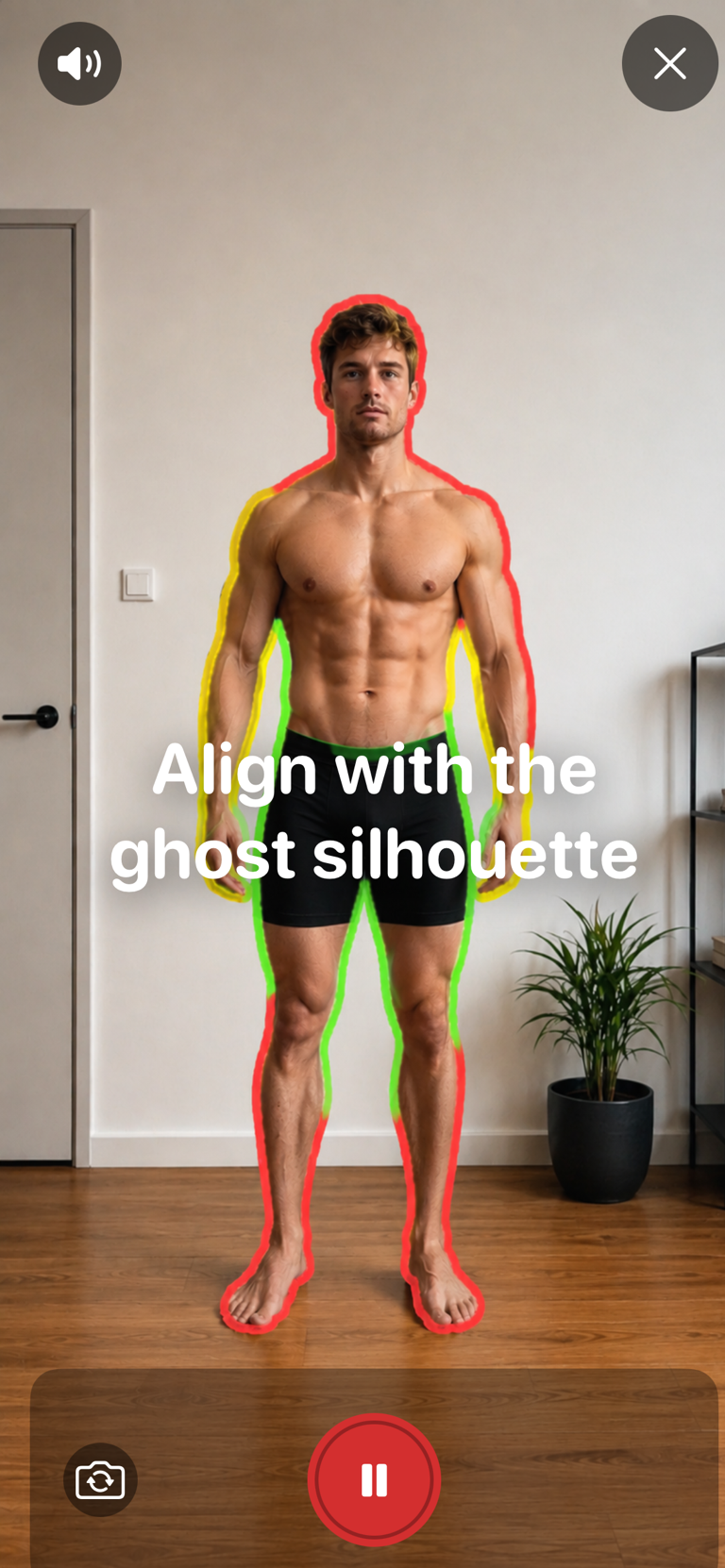
Take a progress photo
- Tap the Measurements tab.
- In Progress Photos, tap Start Photo Tracking.
- Tap New Capture, then choose the pose you want to take.
- Allow camera access if Gymfile asks for it. The front camera opens first.
- Place the iPhone upright with the screen facing you, then tap the shutter.
- Step back and follow the on-screen figure and messages. Keep voice guidance on if you want spoken prompts.
- When you are in the right pose and position, Gymfile counts down and takes the photo automatically.
- In the review screen, tap Retake or Save.
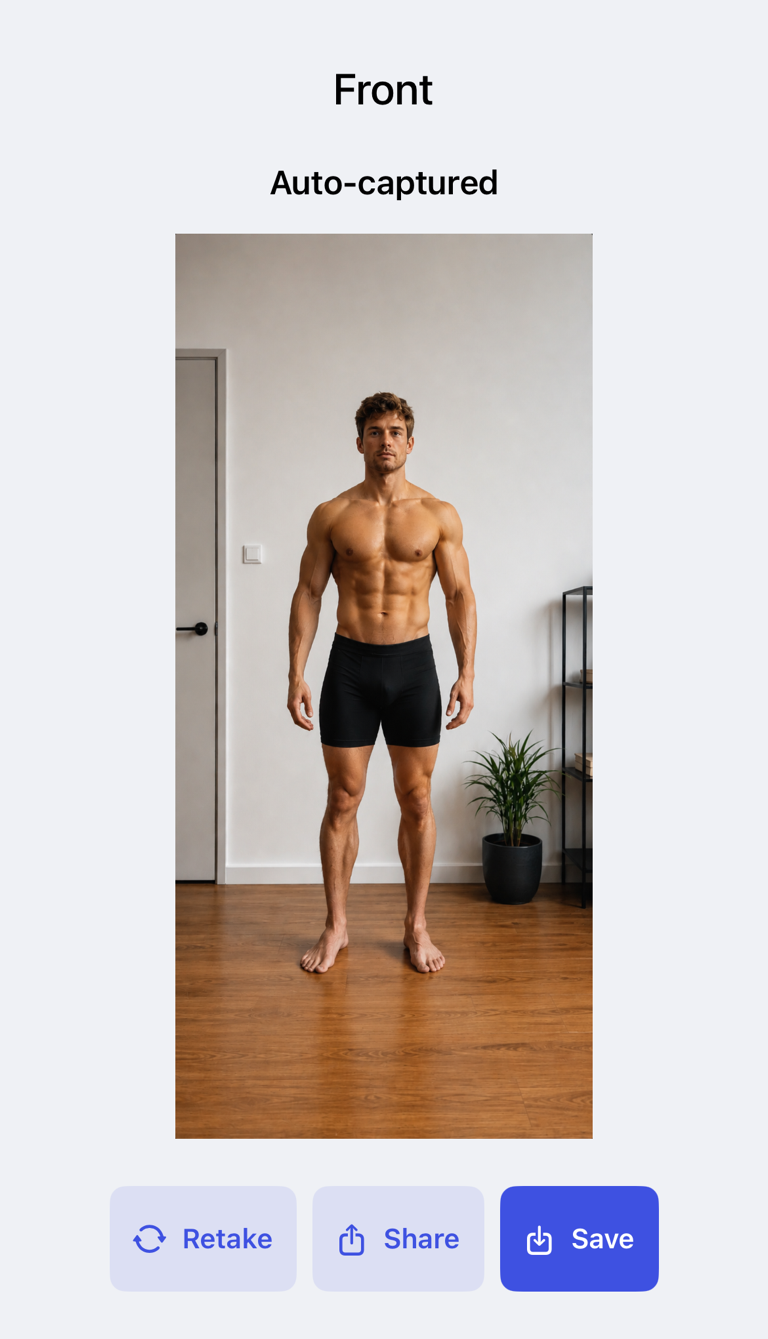
Tap Guidelines before your first capture to review the Front, Side, and Back poses. Start with all three poses on the same day. For future check-ins, choose the same pose before taking the next photo.
Compare two photos
When the current photo list contains at least two photos, the toolbar shows Compare.
- Tap Compare.
- Tap the two photos you want to compare.
- Tap Compare Selected.
- Choose Slider or Side by side.
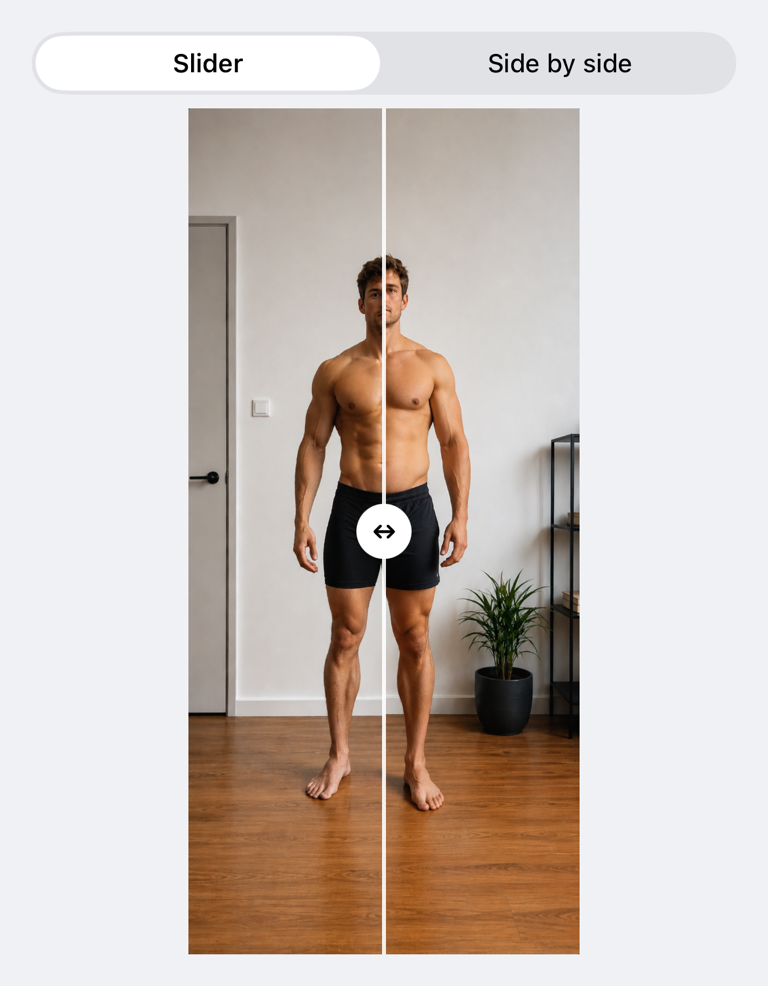
You can also open one photo and tap Compare to compare it with the closest earlier photo of the same pose.
Share or delete a photo
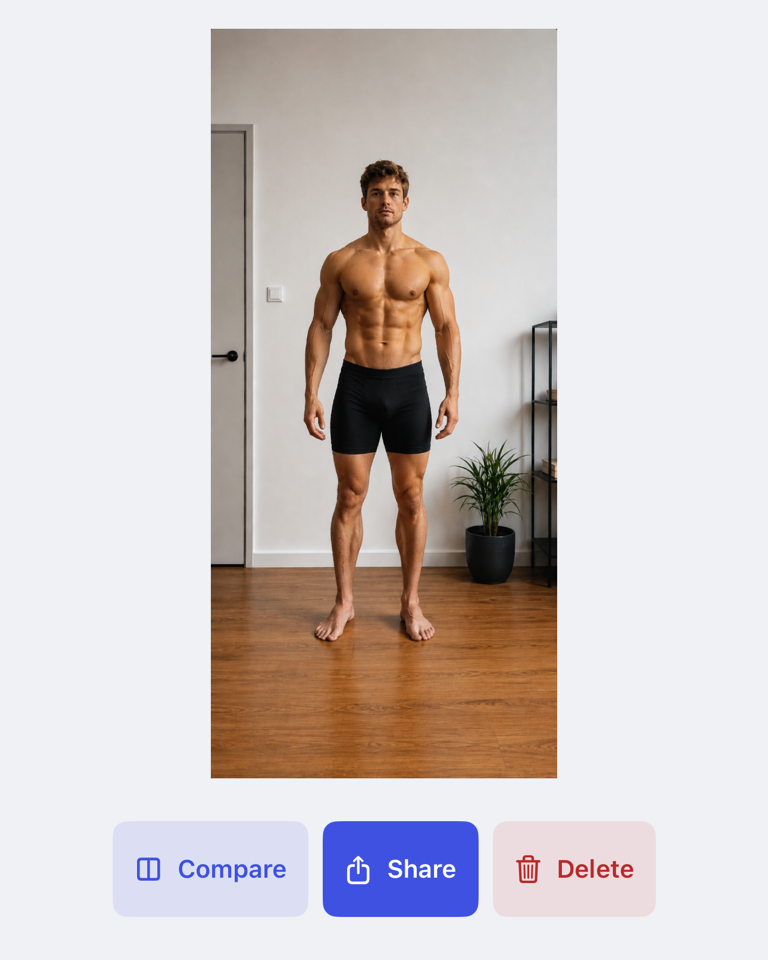
Open a photo to tap Share or Delete. In Compare Photos, tap Share to share the side-by-side image.
Important behaviour
Progress photos stay on the device where you take them. They are not synced between your devices.
After fourteen days without a new photo, Gymfile marks the latest photo as due in Measurements and includes it in the app-icon badge count.
Common questions
How often should I take photos?
The in-app guidelines recommend weekly or every two weeks. Consistency matters more than taking photos often.
Why should I keep the same setup?
Changes in lighting, camera distance, posture, or clothing can look like body changes. Repeating the same setup makes comparisons more useful.
Can I compare a front photo with a side photo?
Yes. Gymfile lets you select any two photos, but comparing the same pose usually gives the clearest result.