Enter weights, reps and time correctly
Understand how to log different exercise result types.
Good entries make your history useful. Record the load and reps or time in the same way each workout so Gymfile can compare progress, calculate volume and estimate strength consistently.
Most strength exercises use weight plus reps. Timed and static exercises use weight plus sec. Some exercises also have special handling for assisted weight, bodyweight or starting resistance.
Enter a normal strength set
- Open the active workout.
- Tap the exercise you are doing.
- Enter the weight in your current weight unit.
- Enter the number of reps.
- Tap the check button for the set.
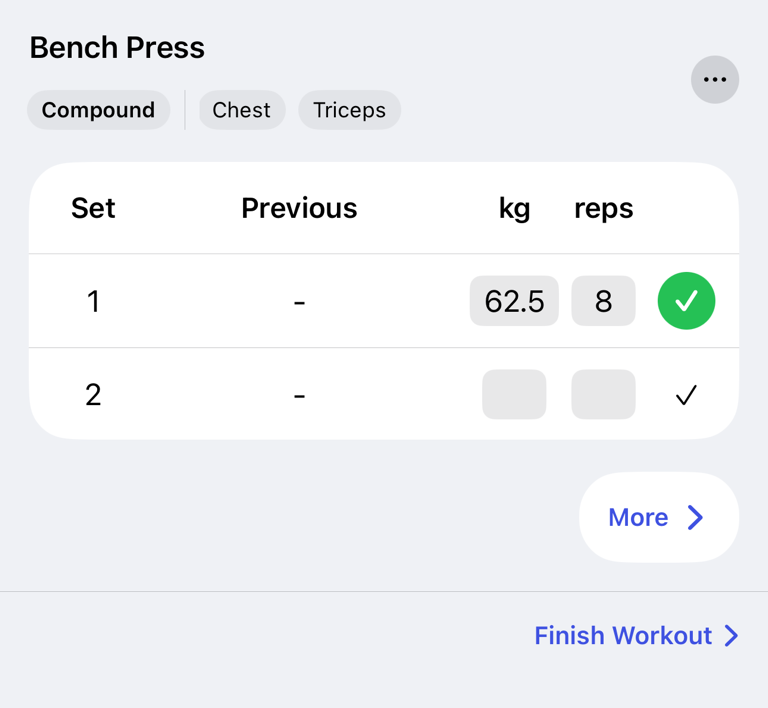
Use the same weight convention every time for the same exercise. Consistency matters more than the convention you choose.
Dumbbells, barbells and machines
For dumbbell exercises, enter the weight for one dumbbell if that is how you think about the movement. For example, a dumbbell bench press with two 25 kg dumbbells can be entered as 25 kg. Keep using that convention so your history stays comparable.
For barbells, enter the total weight you lifted, including the bar if you want the entry to represent the real load. For plate-loaded machines, enter the loaded weight in the same way each time. If the machine has meaningful starting resistance, use Starting resistance... from More... on the exercise.
Bodyweight, assisted and added weight
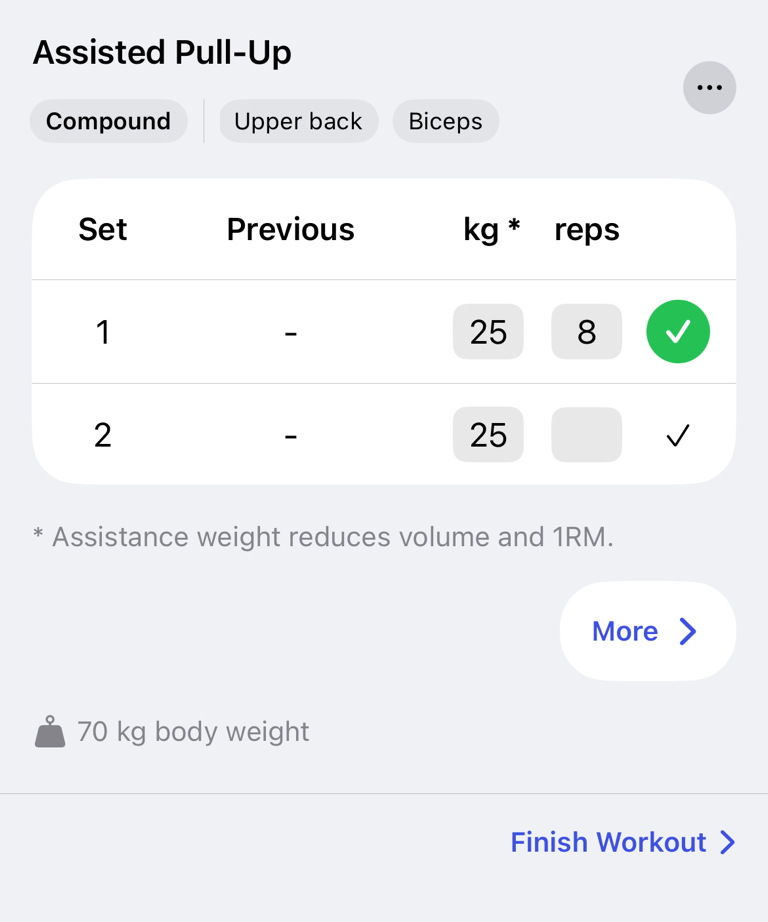
For bodyweight movements, enter 0 if you only used your bodyweight. If you add weight, enter the added weight. If the exercise is assisted, the set header marks the weight as assisted, and the entered value represents assistance rather than extra load.
For unilateral exercises, use one consistent convention. Many people enter the weight used for one side and the reps performed per side.
Timed and static exercises
- Open the exercise.
- Tap More....
- Tap Use time instead of reps if the exercise should be timed.
- Enter the load if needed.
- Enter the duration in sec.
- Tap the play button to start the timed set.
- Tap the check button when the set is done.
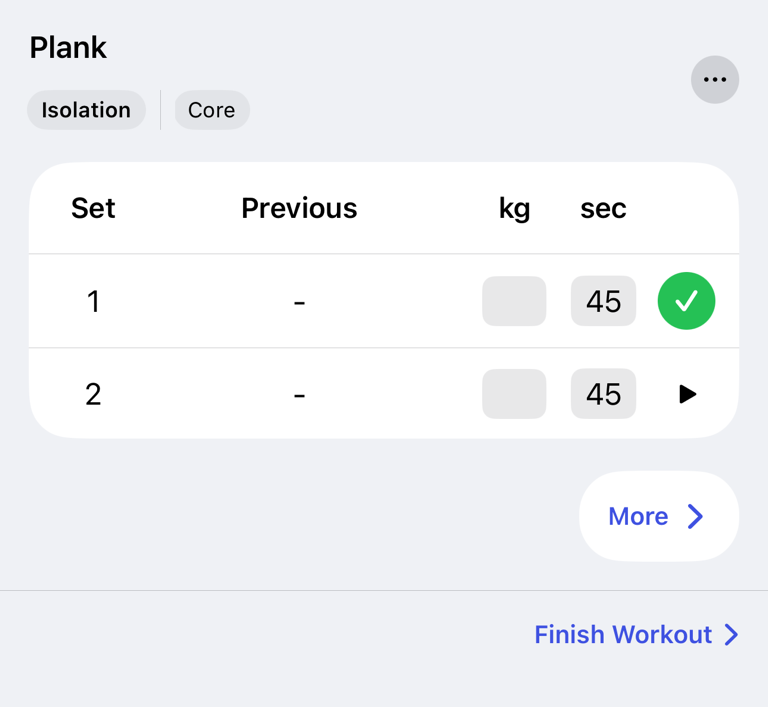
To switch back, tap More... and then Use reps instead of time.
Use the plate calculator
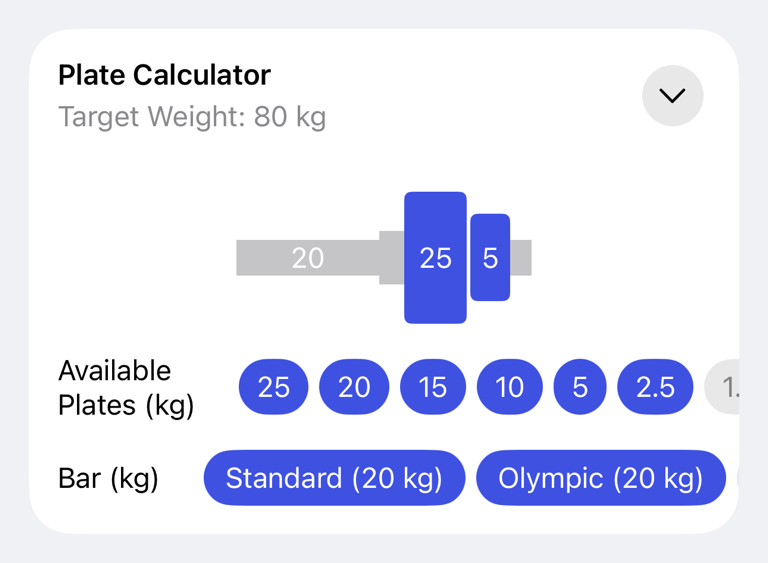
When an exercise supports plate loading, the set row can offer the plate calculator. Use it to convert a target total weight into plates for the bar or machine setup. The set still saves the final weight value you enter.
How entries affect progress
Completed working sets are used for volume, personal records, history and estimated 1RM when the exercise is not time-based. Timed exercises use load-time instead of normal volume and do not show estimated 1RM.
Warm-up sets and drop sets stay in history, but they are marked differently from normal working sets. For set types and supersets, see Use supersets, warm-up sets and drop sets.
Common questions
Should I include the bar weight?
Use the convention you want to compare later. If you include the bar for bench press today, include it next time too.
Should dumbbell weight be one dumbbell or both combined?
Use one dumbbell if that is how you choose weights at the gym. The important part is to keep the same convention for that exercise.
Why did my estimated 1RM not change?
Estimated 1RM uses completed weight-and-rep working sets. Timed sets, empty sets and some non-working set types do not update it the same way.